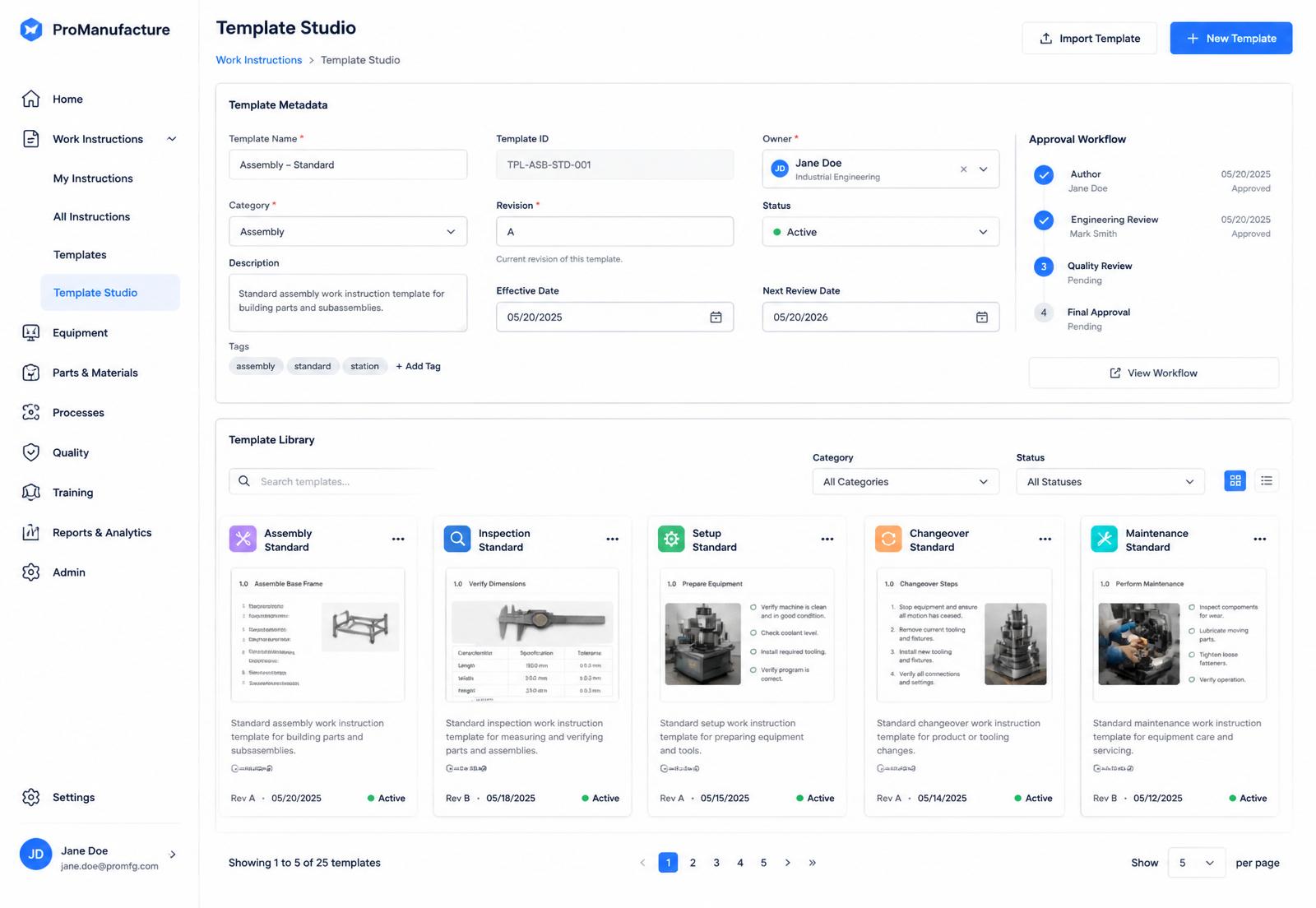
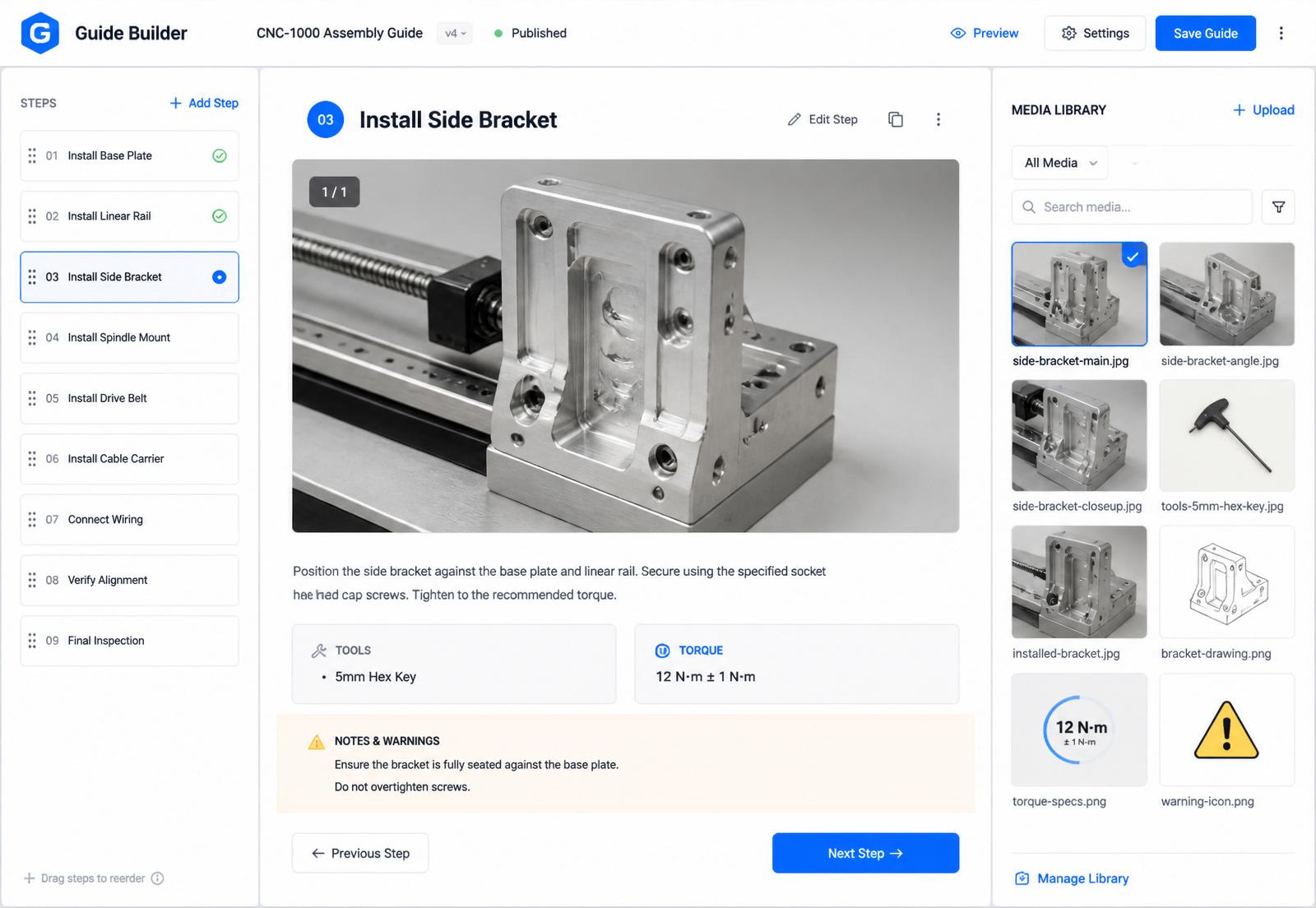
Template Studio is a visual designer for work-instruction layouts. Start from professionally built manufacturing templates, shape them to your brand and standards, or design your own from scratch, then publish once for both paper and screen.
Template Studio gives every printed and exported instruction your company layout: logo, header, revision block and page structure. Start free from a HEKA template shaped by aerospace and automotive, or build your own in minutes. Once published, a template is locked and every change is traceable.
Why it matters
Templates in traditional tools eat engineering time.
In Word or Excel, getting a template to match the printout takes hours of formatting, test prints and small fixes. Change the page size or add a field and the layout breaks, so someone spends another afternoon repairing it. Meanwhile every engineer keeps their own copy, nothing looks the same, and nobody controls which version is on the floor.
The difference
Stop fighting the layout. Publish it once.
With traditional tools
Hours of formatting and test prints before a template matches the paper
A new page size means rebuilding the layout by hand
Every engineer works from a slightly different copy
Anyone can edit the file, and nobody knows what changed
With HEKA Template Studio
What you design is what prints, from the first sheet
Change the page size or structure once, in the studio
One company template, used by every engineer
Locked once published, with every change traceable
What you get
Design once. Publish consistently, forever.
Free template library
Shaped by aerospace and automotive
Start from HEKA templates shaped by aerospace, automotive and other complex manufacturing, where documents have to be right. They are free, and every new template we publish is free for you too.
Ready in minutes
Your own template, in minutes
Prefer your own layout? Build it in the visual studio in a few minutes and start using it straight away. No developer, no IT project, no waiting.
What you see prints
No more test prints
The layout you design is the layout on paper. Change the page size or structure once in the studio, instead of reformatting document after document.
Controlled asset
Locked once published
A published template is a controlled digital asset. Nobody can quietly edit it, and every change becomes a new version you can trace back: who changed what, and when.
Your house style
Match your brand and standards
Set typography, colours, logos, headers, footers and the fields every instruction must carry. Every document that leaves your operation looks consistent and controlled.
Design your own
A visual designer, not a rigid form
Place step cards, images, specifications, safety callouts and part tables exactly where you want them. Build the layout your quality team signs off on.
From template to instruction
The template does the layout. Your team does the work.
Engineers add steps, photos and specs, not formatting
Required fields and safety callouts are enforced by the template
The same template renders a clean A4 sheet and an operator screen
How it works
From blank page to controlled layout.
01
Pick a starting point
A free HEKA template or a blank page.
02
Add your house style
Logo, header, revision block and approval fields.
03
Publish and lock
The template becomes a controlled, versioned asset.
04
Build and print
Engineers add the content; every sheet leaves with the same layout.
Part of one system
Connected to the rest of your factory.
Every HEKA product shares the same lines, stations, standards and people, so a change in one is visible in the others.
Yes. Every built-in HEKA template is free to use, and the new templates we keep publishing are added at no extra charge.
They are shaped by work-instruction practice in aerospace, automotive and other complex manufacturing, where layout and document control are strict.
Usually a few minutes in the visual studio. As soon as you publish it, your engineers can start using it.
Yes. Recreate your header, revision block and approval fields once, then every instruction uses it.
Published templates are locked. You make the change as a new version, the history shows who changed what and when, and HEKA's built-in templates are never overwritten.
Yes. HEKA arranges the content of a guide into the slots of your template.
Ready to standardise how your instructions look?
We partner with a small, deliberate cohort of manufacturers and help you configure the right starting point, templates included.